Choose what to import
Review fetched posts and import only the ones you need, up to five at a time. Duplicate imports are blocked automatically.
 Social To Posts
INSTAGRAM TO WORDPRESS
Choose the Instagram posts you need and import their images and text as WordPress drafts. Create, refine, and publish without leaving the admin area you already know.
Free includes 3 imports per month. No credit card required.
SOCIAL CONTENT, OWNED BY YOU
Do more than embed an Instagram feed. Save each post in WordPress, refine its title and copy, and publish it as content you control.
Review fetched posts and import only the ones you need, up to five at a time. Duplicate imports are blocked automatically.
Use grid, carousel, slider, or horizontal layouts. Preview spacing, corners, arrows, dots, and width before publishing.
Set title rules, reusable copy, draft alt text, noindex behavior, and structured data to support your final SEO edit.
Save drafts as standard posts or a dedicated custom post type. Imported posts and images stay in WordPress when your plan changes.
HOW IT WORKS
Once connected, fetching and importing posts happens from WordPress.
Add Social To Posts to WordPress and follow the guided setup to connect your plugin account.
Authorize the Instagram professional account you want to use through Meta's official screen.
Select what you need from the list. Images and text are saved as WordPress drafts.
BUILT FOR WORDPRESS
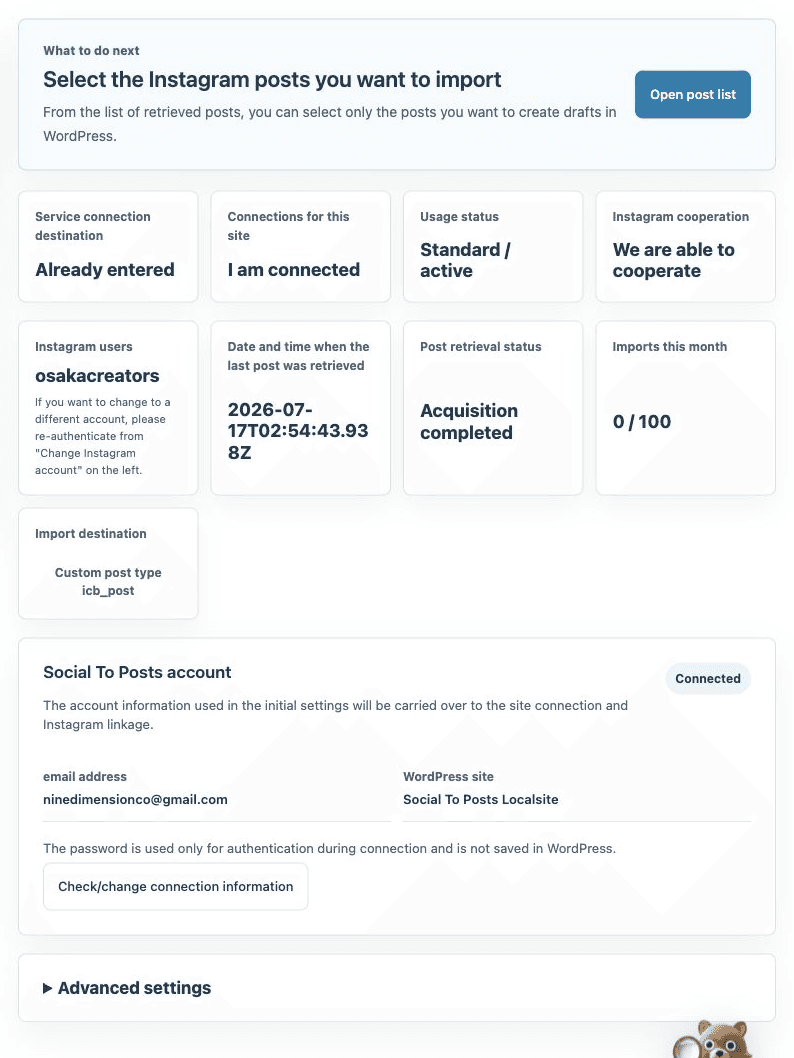
Check the site connection, Instagram account, monthly usage, and sync status from the WordPress admin area. The service is designed to minimize switching between dashboards.
DESIGNED FOR CONTINUITY
The service manages Meta authentication, protected tokens, incremental sync, caching, and outage monitoring. Imported posts and media are stored in WordPress, so published content remains available during a temporary service interruption.
PLANS
Both plans include all display options. The difference is how many posts you can import each month.
$0
Free forever
$5.99/ month
JPY 880/month including tax in Japan
FAQ
Meta's official API requires an Instagram professional account, either Business or Creator. The setup guide explains how to switch.
No. They are saved as WordPress drafts by default, so you can review the title, copy, and images before publishing.
No. Posts and images already imported into WordPress remain on your site.
No. ACF is optional, but sites already using it can map imported images to ACF image fields.
START WITH YOUR NEXT POST